
Draw it
Each dining room to scale, in a few minutes
Dining rooms, tables and everything around them, in centimetres, so the plan matches the dining room you work in.
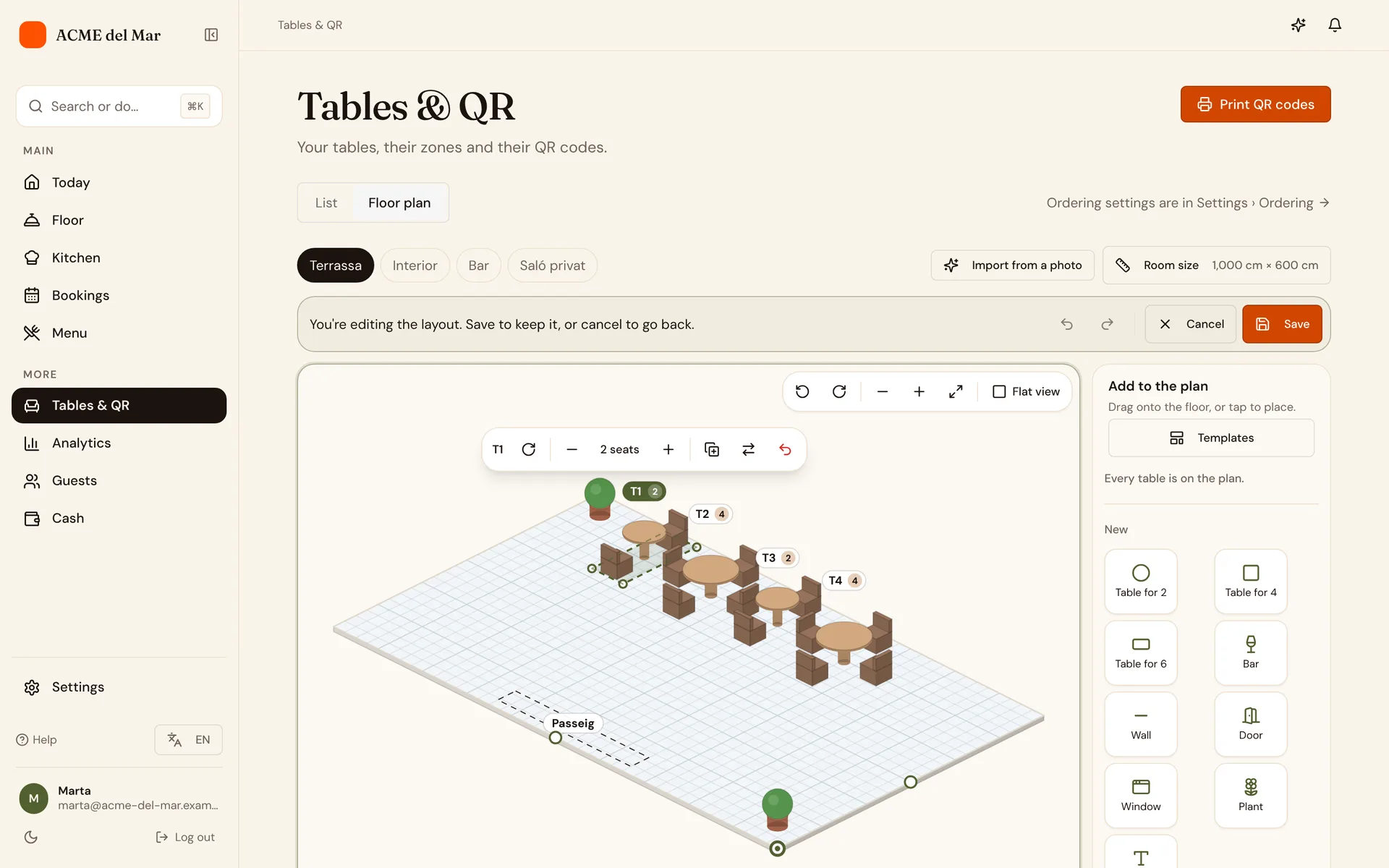
- One plan per dining roomTerrace, inside, the bar or a private room: each zone gets its own plan, with its real width and depth.
- Walls, bar, doors and moreAdd walls, the bar, doors, windows, plants and text, then drag, rotate and resize them.
- Your tables, placedDrag each table from the tray into place, round, square or long: it shows green where it fits and red where it would overlap. Templates set out a whole zone in one tap, and undo takes back any step.
- Print itPrint the plan for the team or for the wall by the pass.
Tilted view
Walk around it before service
Turn the dining room a quarter at a time and zoom in, like a game board, to see how it really sits: useful to plan a new layout or to show a new waiter where everything is. Every table shows a chair for each seat.
Start from a photo of the dining room
Take photos of the dining room from a corner, showing the floor, the walls and the tables. AI draws a first plan for you to check and adjust. Nothing changes until you save.
From Menu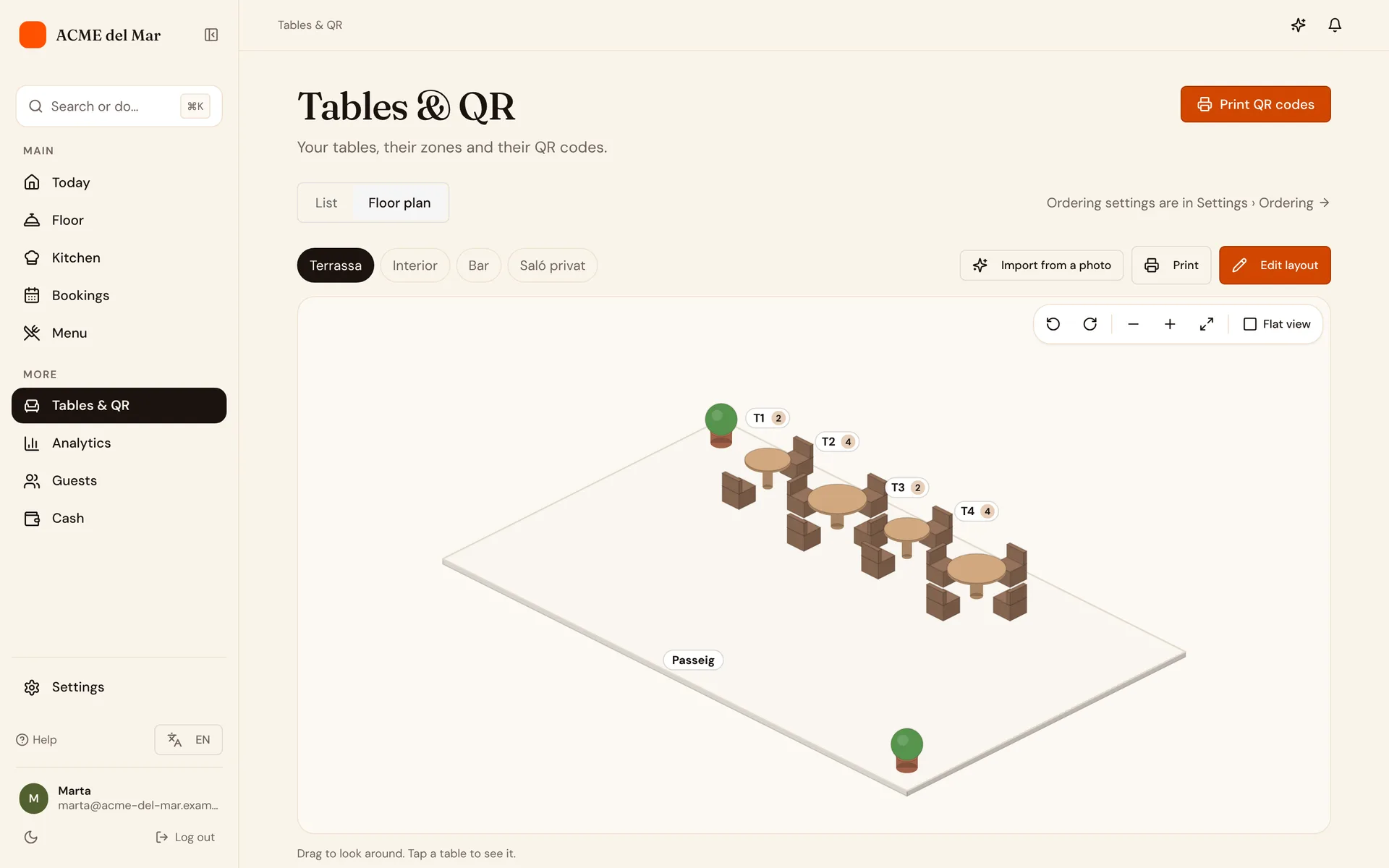
Live map
The whole floor at a glance
During service the floor screen shows the plan with every table in its colour, updated as orders move.
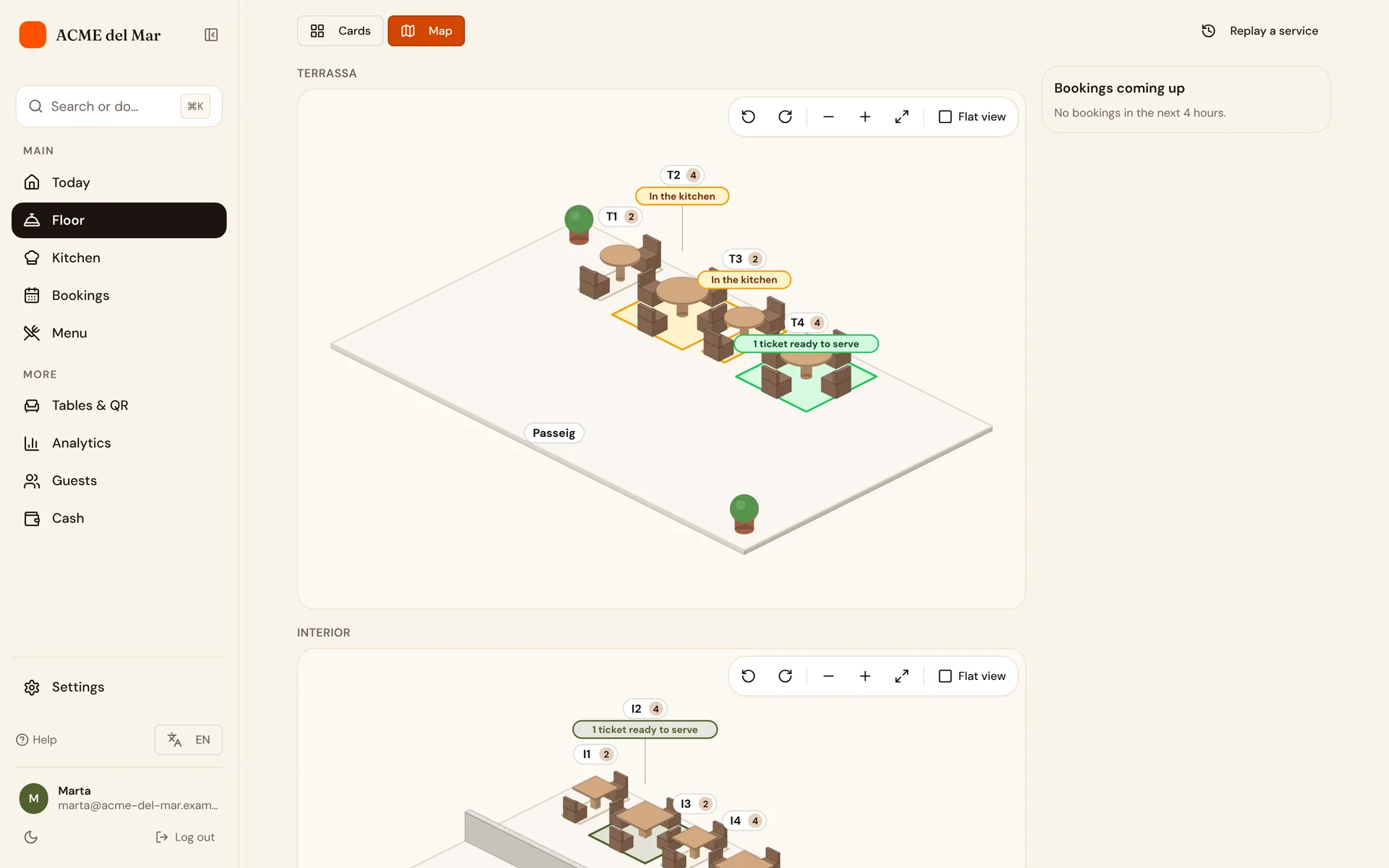
- SeatedThe table has sat down and hasn't ordered yet.
- In the kitchenThe order is being cooked.
- Ready to serveA dish is waiting at the pass.
- Bill requestedThe table asked for the bill.
The bookings for the next few hours sit beside the map, so you can see which tables to keep free.
Service replay
Play back any service
Pick a day and watch the floor plan replay it: when each table sat down, ordered, was served, paid and left.
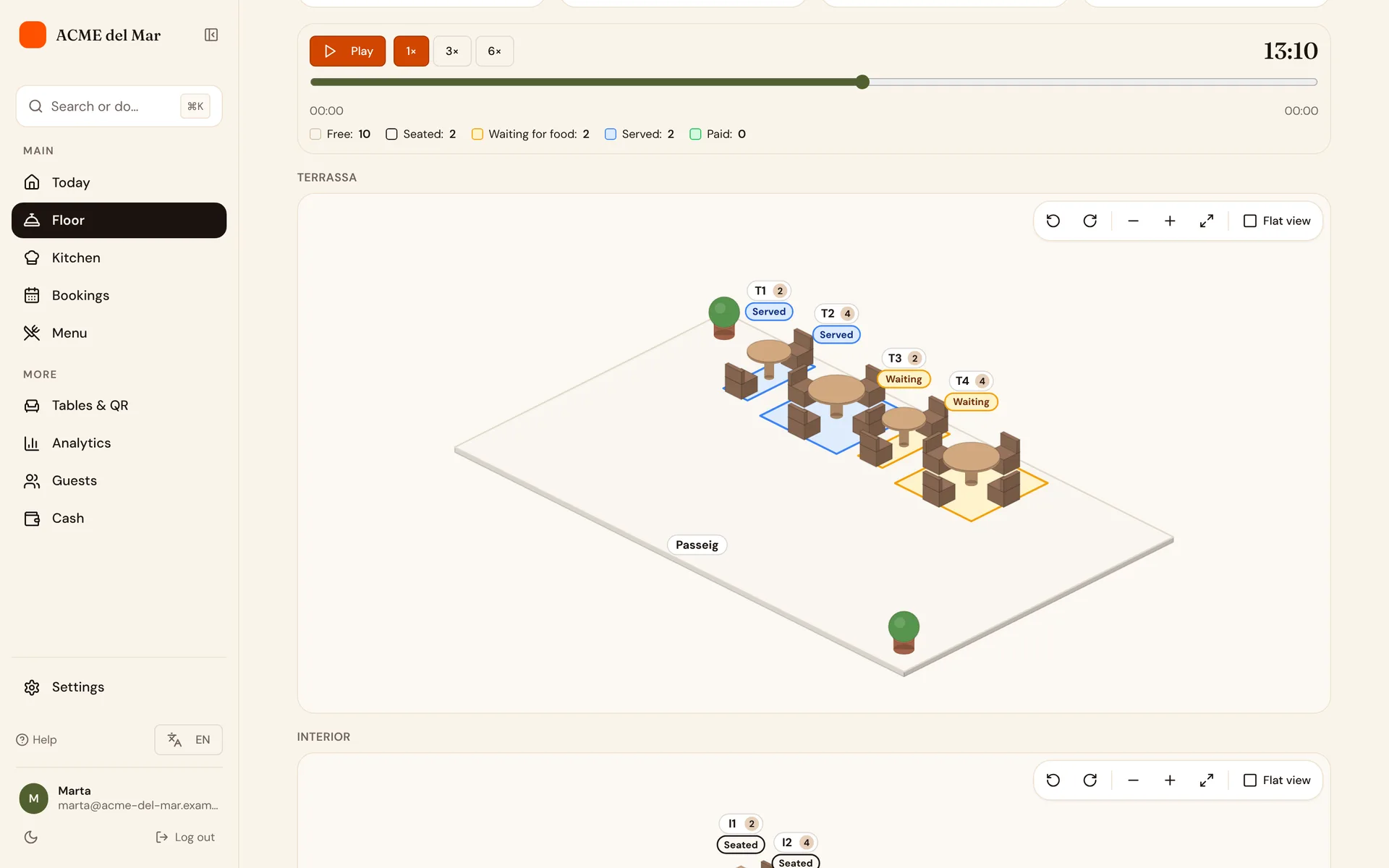
At your pace
Play it at normal speed, three or six times faster, or drag to any moment.
The service in numbers
Tables sat, the average stay, the average wait for food and the busiest moment.
See where it slowed down
Spot the tables that waited and the moment the kitchen fell behind.